How I Set Up My Homelab in Pakistan
My experience of self-hosting in Pakistan with the limited options and budget we have.
· 32 min read
- homelab
- self-hosting
- networking
- hardware
- linux
- docker
- pakistan
I've been running a homelab for roughly 6 months. This is my first experience and quite honestly I'm pretty satisfied with what I've got going on so far. I'm at the point where if I leave it alone, it'll keep running on its own without any problems (hopefully) for a long time. During the 6 months I've been using this, I've managed to replace my Google Photos, Spotify, Google Timeline, GitHub, Smart home, streaming services to some extent, note taking apps, NVR (security cams) and paper filing. Naturally, I use some services more than others, like Google Photos alternative, Note taking app and my own Git instance.
Why?
If you're interested in just the setup and not my story, you can skip to that section.
That being said, why did I go through the hassle of setting up a server at my home when I could just pay Rs. 850/month for 200GB of storage space. I had homelabbing on my mind for a long time and then some things happened back to back.
At first, google increased the price of their 100GB plan. I was already subscribed to it. It's okay, no big deal, it's just 100-200 rupees more, I thought. Then I ran out of storage :). 100GB used up. I upgraded to 200GB, which cost me Rs. 850. Spotify also increased its prices. I pay roughly Rs. 500/month. For movies and streaming, I just sail the high seas, I tried Netflix but half the shows are either pulled out from Netflix or are region locked, it's a steaming pile of hot shit if I say so myself.
During this time, YouTube was also suggesting me some good videos, namely Google Tried to Charge Me $3,600/yr... I Built My Own Server Instead by Switch and Click, and I Spent a Year Replacing My Subscriptions. Here’s How. by Dammit Jeff. Idk what this did, but it got me hooked. I spent a few days watching similar videos, found an old workstation (my old gaming PC, but it wasn't functional, I took out its PSU to make a bench power supply for embedded electronics, yk, Arduinos and ESPs and the likes, different story), but it was kinda useless without the PSU. No go.
My Setup
So... my old gaming PC had no PSU, which means I had to look elsewhere. A few years back, my father got a PC for personal/home usage. It had low specs. Bare minimum. It was one of two pieces I needed to get my homelab up and running.
An Old Dell PC: Office E-Waste
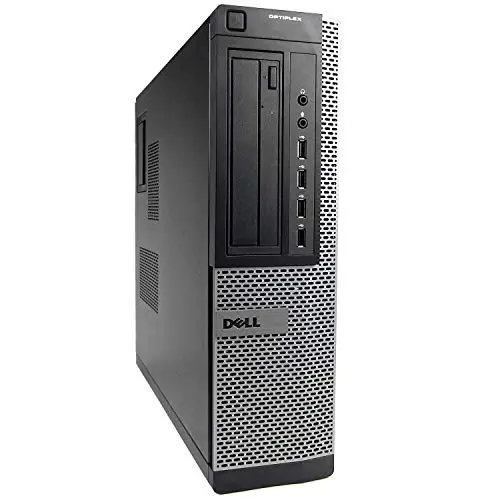
Price: Rs. 12,500
Model: Dell Optiplex 9010 SFF
From: Dubai Plaza, 6th Road, Rawalpindi
I don't remember the exact shop but we got it in 2018. A decade ago. Lately, the PC had been catching dust so I took it. It wasn't turned on for a few years.
To get started, any old PC should work, even a laptop or something as small as Raspberry Pi works as well.
Specs
| Component | Spec |
|---|---|
| CPU | Intel(R) Core(TM) i5-3470 |
| Memory | 12GB DDR3 @ 1600MT/s |
| NIC | Some Intel Gigabit Network Adapter |
| Graphics | Integrated Graphics, IO has DP Port |
| Storage | 500GB WD Blue HDD |
| PSU | 240 Watts |
Gigabit Unmanaged Switch
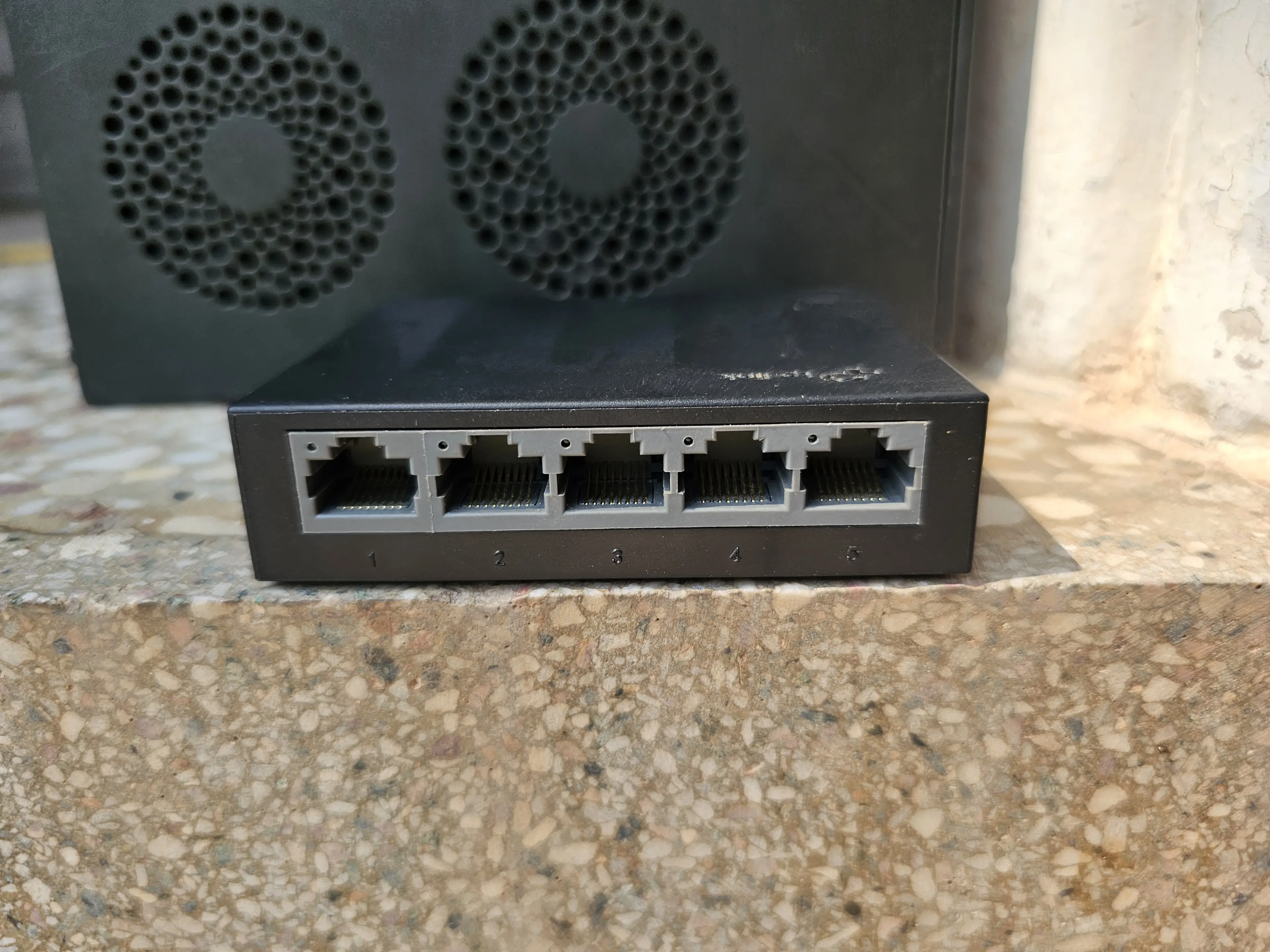
Price: Rs. 3,500
Model: TP-Link LS1005G
From: WiFiLink Online
Optional, but I bought it anyways because our router (We use Nayatel) isn't near my room, so I have to route a long ass ethernet cable from the router to my room. One was bad enough (for my PC), imagine having 2 permanent ugly cables (one for my PC, one for my homelab server). To avoid having 2 (Or more than 2 cables running through my door), I got a TP-Link LS1005G, which is a gigabit switch (this is very important, anything less than a gigabit is a no go in today's day and age).
Specs
| Component | Spec |
|---|---|
| Bandwidth | 1 Gigabit (10/100/1000Mbps) |
| Ports | 5 |
That's about all the specs it has lol, it's unmanaged, which is fine for starting out.
Cabling
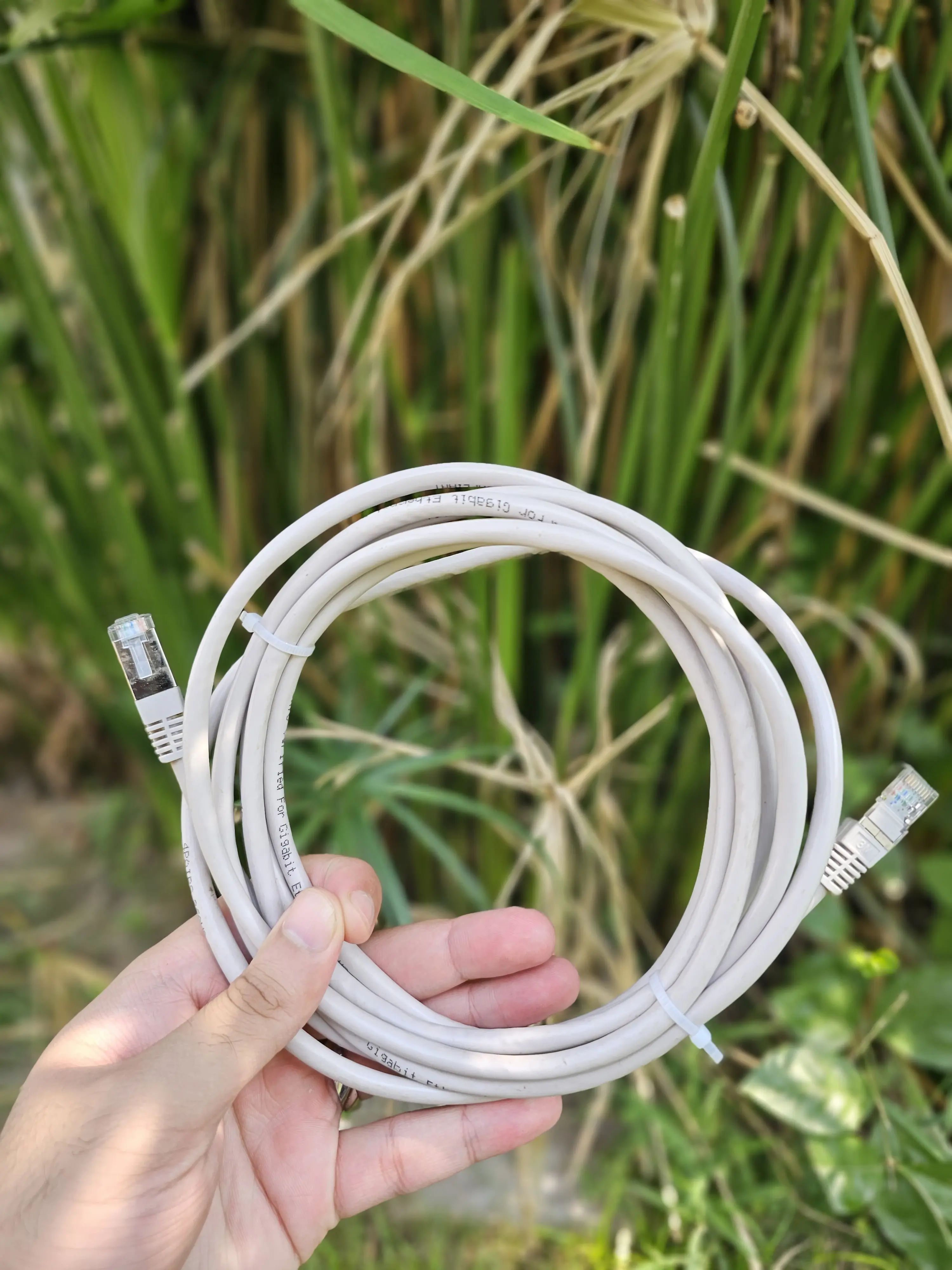
I needed the following cables to get it all connected and working.
-
1x DP Cable: so that I can easily install the operating system (Optiplex 9010 only has VGA and DP, I chose to work with DP)
This is only needed until the OS is installed, after that it's kinda useless, unless you run into any problems and have to connect the server to a monitor again :). Prices vary from place to place, just get the cheapest one to get the job done, unless you already have one.
-
1x Cat 6a 10M Ethernet Cable: To connect my router to my switch. Get at least a cat 6 cable, don't go below that. I chose this size so that it can comfortably reach my room. Again, prices vary from place to place, measure the amount you need and get a good quality one because your whole setup will be running on this cable.
-
4x Cat 6a 1-2M Ethernet Cables: Originally I needed only 2, from switch to PC and Homelab, later on I expanded my setup so I needed some extra cables to connect everything.
-
1x Extension Lead with a lot of sockets: So that I could plugin my PC, homelab and monitor among other things.
IMPORTANT - All other setup items under this are optional, and I added them later on in the setup. Originally, my homelab only consisted of the Optiplex PC and an unmanaged switch.
A WiFi camera
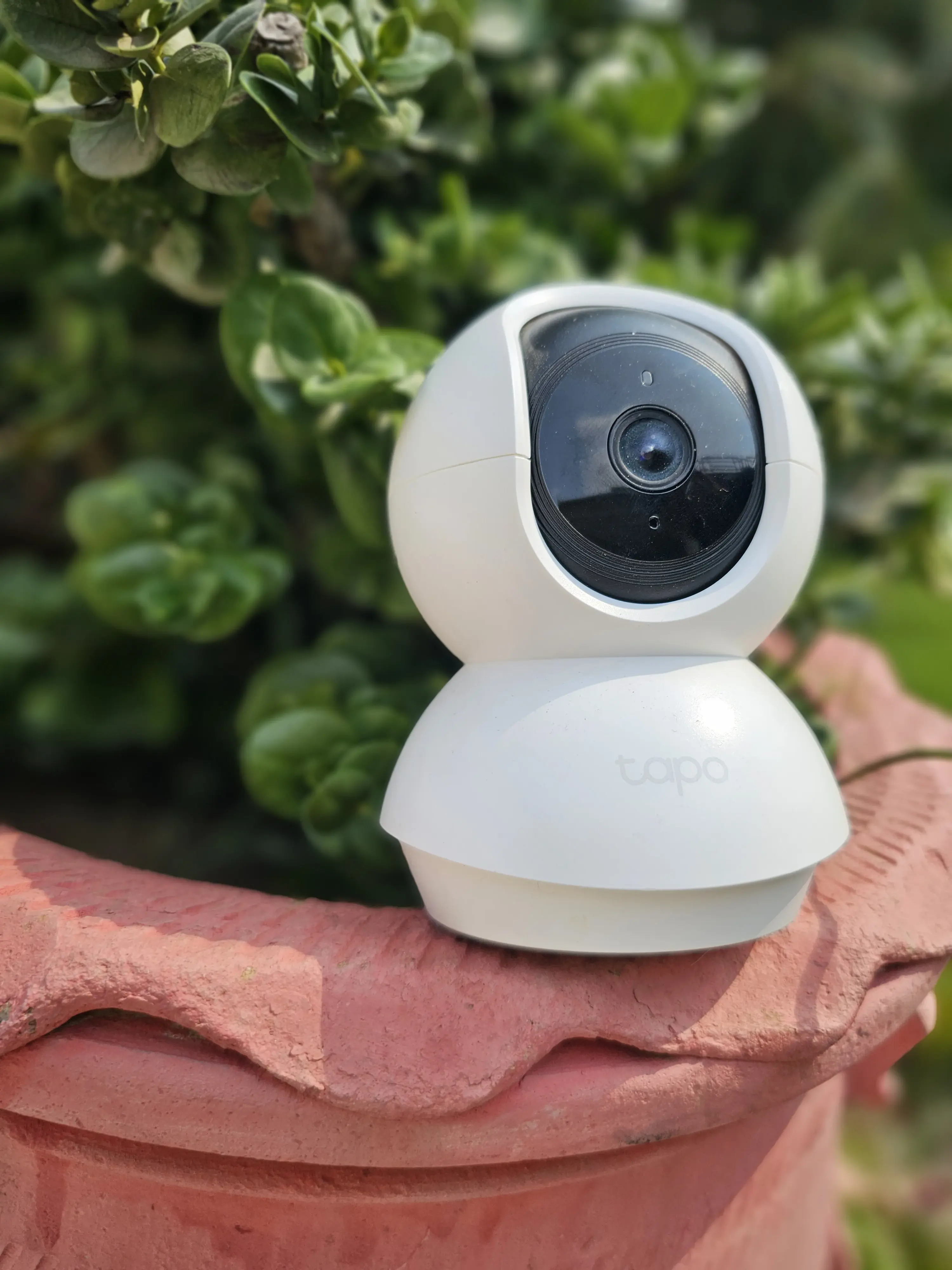
Price: Rs. 5,600
Model: Tapo C200
From: WiFiLink Online
I got this sometime later, after a month or so, just to test the waters with my homelab. (I think delivery was free, I don't remember, but it shouldn't have been more than a hundred rupees).
Specs
| Component | Spec |
|---|---|
| Resolution | 1080p |
| Pan and Tilt movement | 360 Deg and 114 Deg respectively |
| Night Vision | Yes, has IR Light |
| Mic and Speaker | Yes |
| Micro SD Card Slot | Yes |
1TB Extra HDD
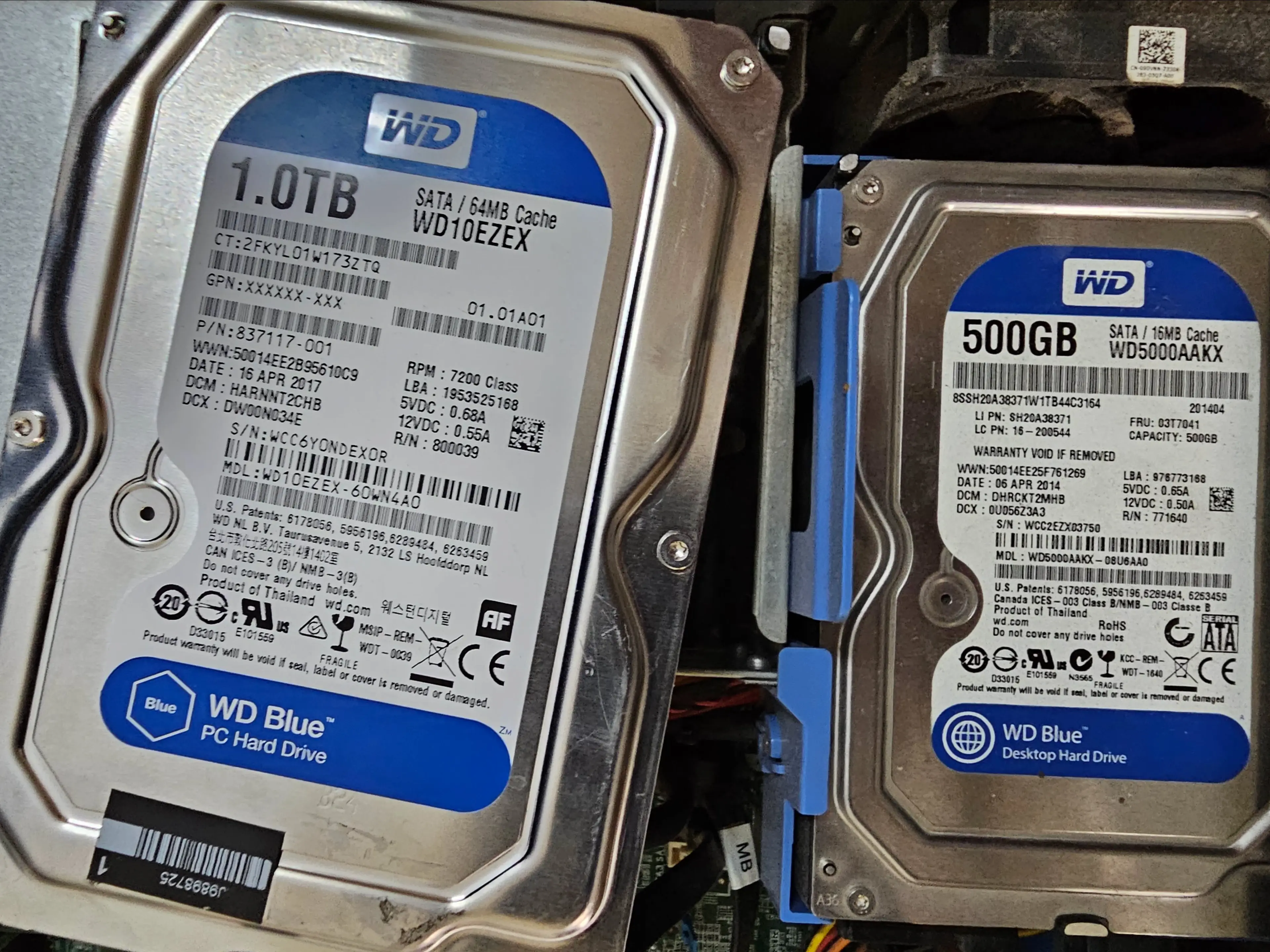
Price: Rs. 7,500
Model: WD Blue
From: Horizon Tech, Saddar, Rawalpindi
I wanted to expand my storage from 500GB. I didn't replace this with 500GB, I just added it on top of it. I recommend getting a Red or Purple (or equivalent of NAS or Surveillance grade) if you can find one in your budget.
Digital Signage PC: Custom Router
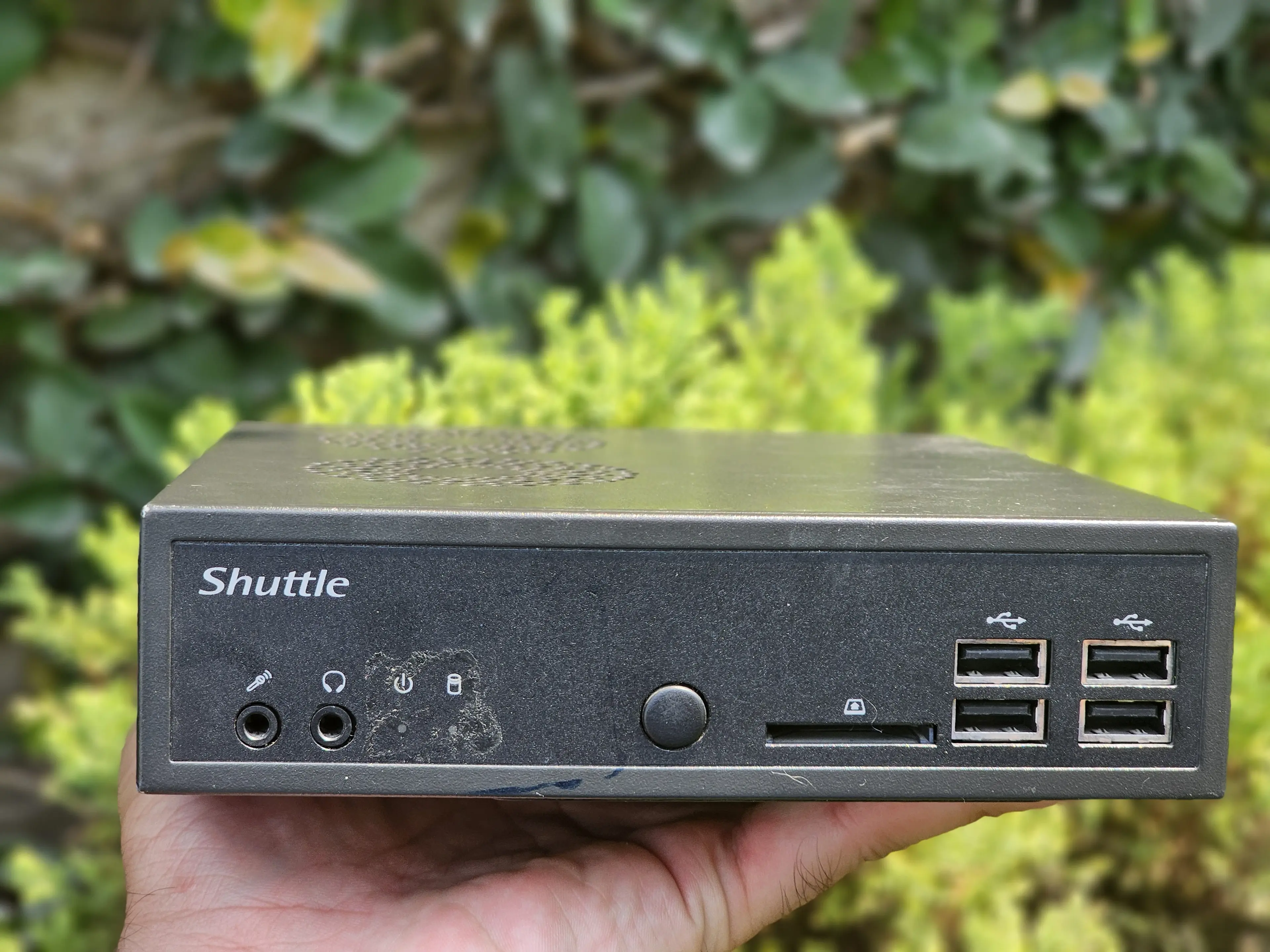
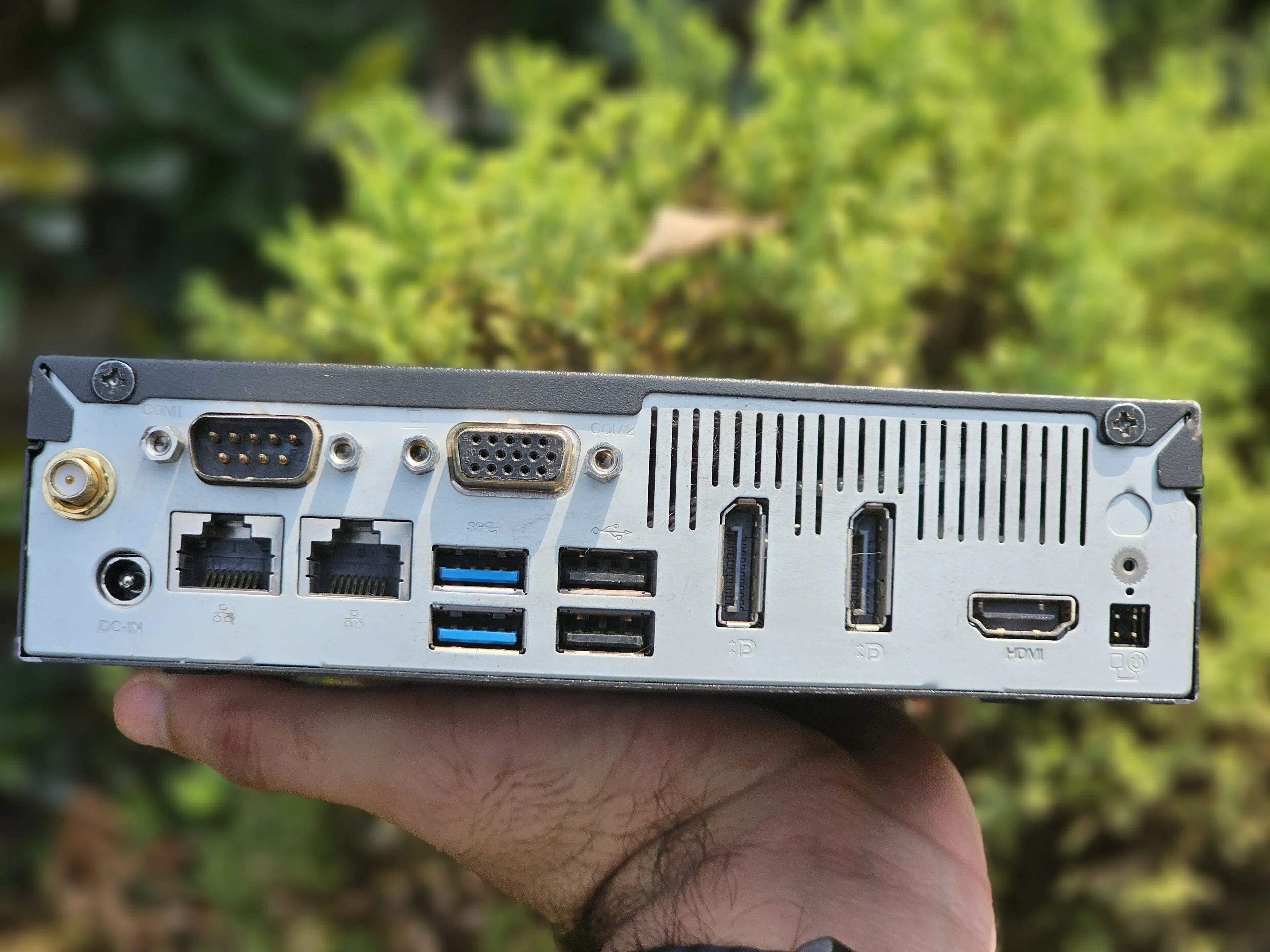
Price: Rs. 20,000
Model: Shuttle DS-81
From: Facebook Marketplace, Soan Gardens, Islamabad
This one is a bit interesting. I've had a lot of hardware components in my wishlist. A custom router was one of them. So, generally, we're given a router by our ISP (In my case, Nayatel gave us a Huawei ONT/Router). For majority of people, that's enough. My father never changed the router in the past. Sure he got WiFi extenders, but the actual router given to us by the ISP was still there. To have more fine grained control and power though, a custom solution is required.
To cut it short, a custom router is a router you make from your own hardware (could be a smol computer, or a big computer, I'm not judging). The basic job is still to communicate with the ISP and ultimately the internet, but it comes with its own perks, like your own firewall, ad blocker, plugins like VPN (Not the kinds that we use to escape regional blocks, but the kind that allows you to connect to your server remotely while you're away from home).
With that being said, Shuttle DS81 is originally made for digital signage I think. I found it off of Facebook Marketplace near Soan Garden, Islamabad. I got really lucky because I couldn't find any mini PC with two Ethernet ports in market, and facebook marketplace had only 3 ads with these requirements in twin cities.
- Shuttle DS-81: Rs. 25,000 (I negotiated it down to Rs. 20,000)
- Advantech Ark 1550: Rs. 50,000
- Some Intel NUC with a GPU: Rs. 90,000
VERY IMPORTANT - If you're looking to make a custom router, either get a mini PC that has TWO gigabit ethernet ports, or get any normal sized PC (You can easily add PCIe NICs to add additional ethernet ports to your PC).
Specs
| Component | Spec |
|---|---|
| CPU | Intel(R) Core(TM) i5-4570S |
| Memory | 12GB DDR3 @ 1600MT/s |
| NIC | 2x Realtek 8111G (Which just means 2 ethernet ports) |
| Graphics | Integrated Graphics, IO has 1x DP Port and 1x HDMI |
| Storage | 180GB Intel SATA SSD |
| Power Adapter | 90 Watts |
As of writing this (23/09/2026), this ad is up. I don't know the actual price of this but putting it out there in case someone wants to take a look at it.
Old TP Link Router from 2010
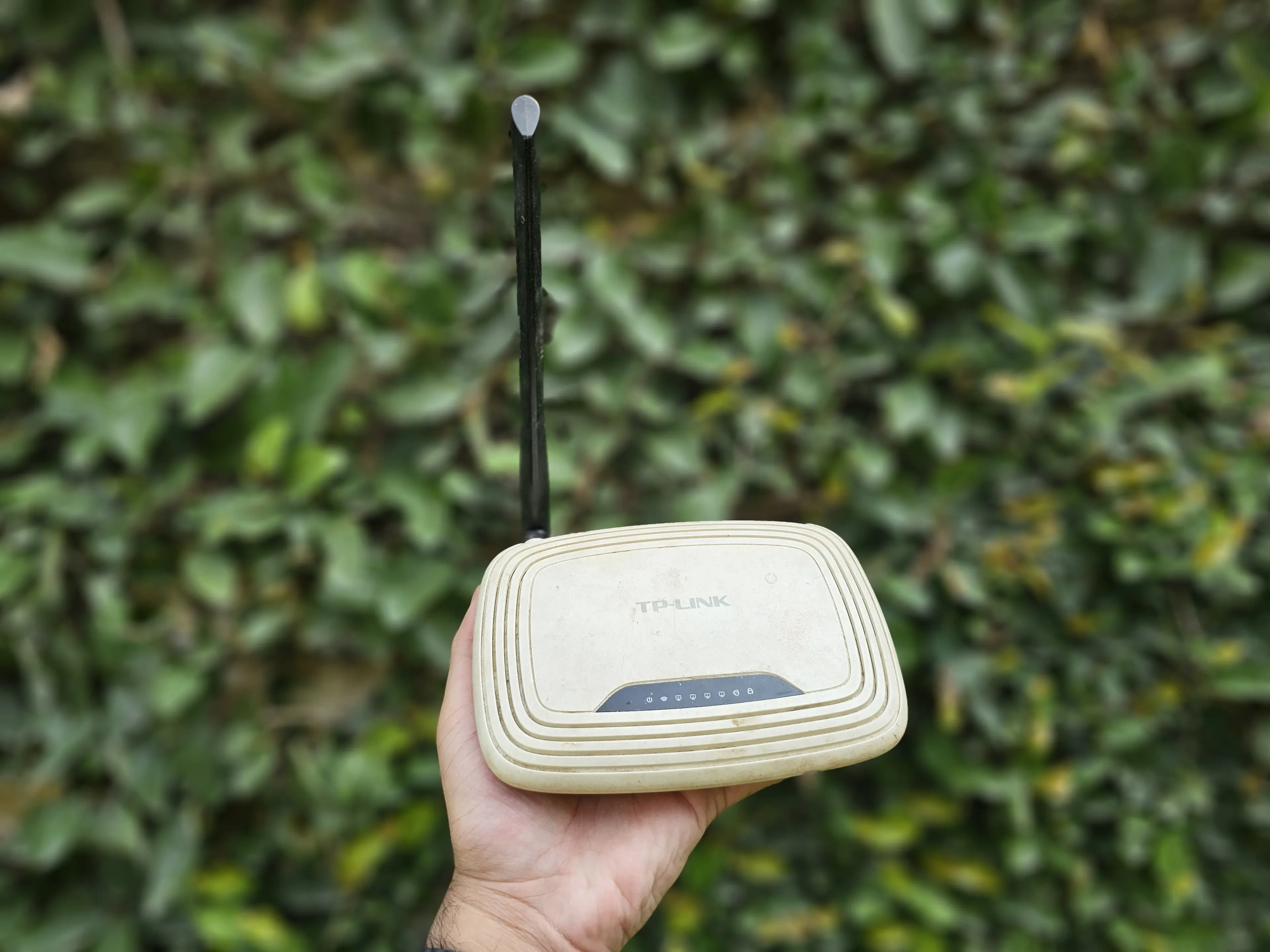
Price: Rs. 2,000?
Model: TP-Link WR740N
From: I don't remember, Gujranwala maybe lol
I didn't buy this, it was in the old stash. Basically E-Waste. Like I mentioned that I have had a lot of components in my wishlist that I want to buy; An access point is also one of them. Access point = allows a router to have WiFi. The routers we're given by our ISPs are like combo boxes all in one. They're the ONT, the modem, the router and the access point. It's cheap, and less of a hassle while setting up. The only problem is, it's cheap, which means either locked down software or just not good specs.
Similarly, this TP Link router is an all in one hunk of e-waste but I repurposed it to act as a dumbed down access point, so I can get WiFi signals. I don't recommend getting this, I just used it because I found it for free. My family still uses the Huawei router setup by Nayatel because I currently don't have a proper access point, will get it in future and switch whole house on it. Until then it's all for testing and learning, while making sure no one at home is bothered.
Specs
| Component | Spec |
|---|---|
| Signal Rate | 150Mbps |
| Ethernet Ports | 5x 100Mbps |
| Wireless Standard | WiFi 4 (which means only 2.4Ghz WiFi) |
Please don't get this or use anything like this unless it's for free and you're doing it for learning, not worth it. 0/10 setup experience. After setup, for what it's worth, it's working pretty fine.
A Mini PC
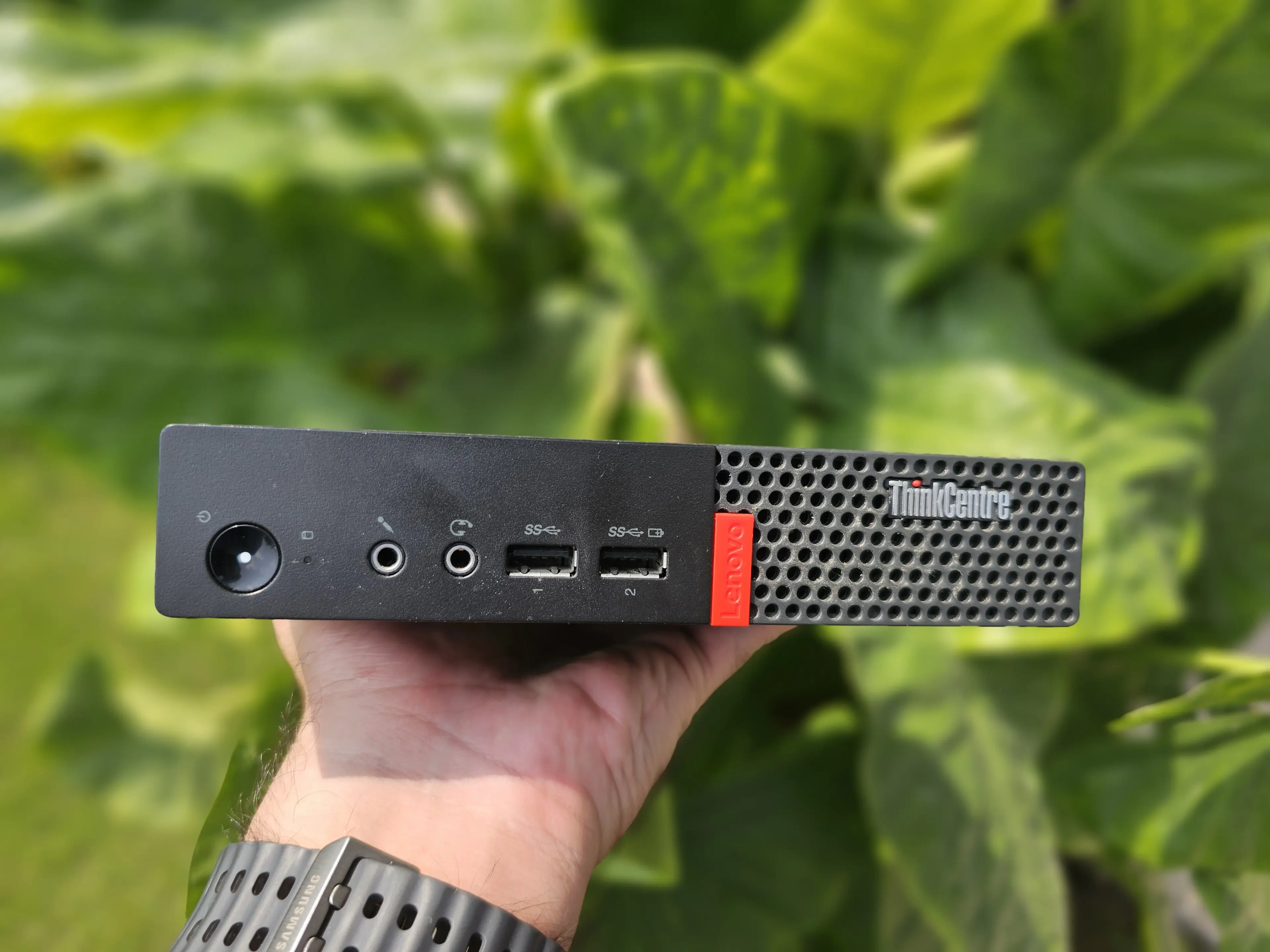
Price: Rs. 22,000
Model: Lenovo ThinkCentre M910q Tiny
From: 6th Road, Rawalpindi
I got this from somewhere on 6th road in Rawalpindi without the SSD. Got the SSD from Horizon Technology in Saddar Rawalpindi. Originally got this to make a Kodi client (PC connected to TV for watching YouTube, Movies and Shows), but repurposed it as a CI/CD runner + media encoding + to offload some services from the main homelab server to this. Like some minor AI services (face detection stuff), and some OCR (words detection in docs).
Specs
| Component | Spec |
|---|---|
| CPU | Intel(R) Core(TM) i5-7500T |
| Memory | 12GB DDR4 @ 2400MT/s |
| NIC | Some Intel Gigabit Network Adapter |
| Graphics | Integrated Graphics, IO has 2x DP Ports |
| Storage | 250GB WD Blue SATA SSD |
| PSU | 65 Watts |
Difficulties I Faced Finding Hardware
I'm going to be honest, while everything I have is running good, I got everything I wanted. The wishlist parts are kind of in a bit of a pickle. Prices are so high in this country, what costs 60USD overseas, costs Rs. 40,000 or more here. Not to mention, since most of us don't even have the privilege to spend extra money on stuff like this, there's less overall awareness.
Another gripe I have is, people cling on to their e-waste (me included in some cases), they let it rot at their home instead of just giving it out, and then they sell that piece of equipment for the SAME or sometimes INFLATED price, like brother, stop being delulu. The TP-Link WR740N Router used to cost around Rs. 2000 back in 2010. It still costs the same. Yeah sure, people's salaries have increased, inflation has happened, yada yada, but for a router from 2010, this should cost next to nothing.
And, don't get me started on frauds and scams, it's so hard to trust someone, each of us are focused on making a quick buck, while completely ignoring the fact that the other person may be in a hard spot already. Why push someone to the edge, why exploit them for something they're doing out of helplessness. Due to this, it's super hard for both parties to properly maintain a trust level.
With that out of the way,
-
I've had a lot of trouble finding reliable vendors for buying reasonably priced HDDs (especially for NAS and Surveillance)
-
Due to inflation, a lot of hardware is out of reach for the common man (Managed switches, Access points, etc)
-
Surprisingly, I just could not find a damn server rack for a reasonable price. Wdym a 42U rack costs Rs. 300,000? (Used one of the higher end listings to make an example, found some for Rs. 150,000 range as well)
In the used market, it was pretty hard to find reasonable prices as well. Partly because in consumer market, not enough demand, and inflation ofc.
-
While we have solar PV installed and working, sometimes at night when a power outage happens and something heavy is running (like the microwave, or an iron), the breaker trips, causing a power shutdown for a few mins, which causes my server to abruptly lose power. That's not good. I'll buy a UPS in future for my homelab to avoid this, and in turn avoid data corruption or data loss.
-
Finally, not that I'm being ungrateful, it's just a limitation of my current position. I have to save money 1-3 months to get new hardware. Everyone will have some kind of monetary limitation, can't spend too much on what is more of a hobby lol
That being said, even with difficulties, the setup is more capable now, than I ever expected it to be when I started.
Getting Everything Connected: The Actual Network
I'm by profession a Software Engineer, and by hobby a gamer. I had 0 interest in computer networks until I actually setup my own server. Now, you don't have to know everything, I certainly don't, but it helps knowing some basics (which I won't teach because.).
Operating System
To actually start working, I first installed Ubuntu 24 LTS. It's a distribution of linux. This is preferred over windows for servers because it has high security, it's very stable, has good docker support (we use this a lot in self hosting) and it's free (open source baby!).
Unmanaged Switch
In a previous section, I mentioned how I bought a TP-Link unmanaged switch. Think of it as an ethernet port extender. It's just that in simple words. Have less ports? Just add an unmanaged switch. There's more to it of course, but for our use case, this is exactly what it is.
How does it work though? Simple, It has N amount of eth ports, in our case 5. Plug one end of the eth cable into your main router, and the other end in ANY eth port of the unmanaged switch, it doesn't matter which one. For cleanliness and order I plugged mine into the left most port.
Once that is done, I connected both my PC and my homelab server into free ports in the switch and finally connected the switch adapter into my extension board.
That's about it.
Cloudflare Tunnel
If we want to access our services from outside our own network, we need either of the two things
- A static IP (and optionally a domain)
- A tunnel (and definitely a domain)
If you have a static IP, great, use that. Don't know if you have a static IP? Call your ISP (PTCL, Nayatel, etc) and ask them whether you have one or not. If not, ask them if they provide one and for how much. This is something that you'll need to assess on your own based on your internet provider, your internet plan, and if the static IP is an add on, whether it is in your budget or not.
If you don't have a static IP (like me), you can opt for the tunnel path. It MAY be possible to use tunnels without domains, but I'm not sure about it. Personally, I use my domain raahimfareed.com for the tunnels. So for my git instance, I just have my own subdomain, git.raahimfareed.com.
If you want a cheap domain, you can get a numeric xyz domain from PorkBun or Spaceship. Since it's an international transaction, only Visa/Mastercard cards will work. In my experience Nayapay works just fine if you don't have a proper bank card. In order to qualify for the cheap/discounted rate, your domain needs to
- Have ONLY numbers
- Length should be 6 to 9 numbers
- Should be a .xyz domain
This costs roughly Rs. 200 per year which is very cheap if you just want to test homelab without commiting to a domain.
Okay, now we have a domain, and a cloudflare account AND we've transfered DNS Nameservers to Cloudflare for our domain, what's next?
We need to install cloudflared on our homelab. There are many ways to do this, I personally installed it as a systemd service, but you can use docker if you like. I recommend just using ChatGPT or Claude to guide you through this if you're non-technical.
Once cloudflared is setup and active, new sub domains can be registered in the cloudflare zero trust dashboard.
Next few sections weren't part of the original homelab and were added on gradually, you can skip to the summary of how everything is connected if you want.
Camera
For Tapo series, you need to use TP-Link Tapo app to setup the camera (which kinda sucks). Once that is done, there's an option in the settings to setup camera account, that's the important one. Once you have a camera account (RTSP credentials) and you've set the gateway of the camera as your homelab IP, you can safely disable/delete the app. I personally archived my app because I didn't need it anymore after setting up a camera account. Note, that the RTSP credentials are important, that's what allow you (or other applications like frigate) to access the camera outside of the Tapo application.
With the homelab IP set as the gateway IP in Tapo app, all of the camera traffic will go through the homelab itself. This gives us the power of blocking cloud access of the camera. Some people like cloud access, more power to them, I don't. It's kind of eerie to have a camera sending the feed somewhere on the internet. Due to that, I personally blocked ALL outbound requests from the camera in my homelab.
The camera itself connects to a software called Frigate (will get to it in a later section), which handles all cameras' live feeds and recordings as well as object detection and camera movement if your camera supports it.
OPNSense: Custom Router
If you remember, I bought a digital signage PC, Shuttle DS-81, to use as a custom router. To make it actually work, we have to install an operating system on it. I chose OPNsense, it's based on OpenBSD which is another type of operating system like Linux and Windows (and macOS).
This was added after 5 months of constant use of my homelab just to amp it up. While the OPNSense router itself is working fine, I just don't have the managed switches and access points to make it achieve its full power yet.
It has two ethernet ports, in settings I've designated one port as WAN (connection to the internet/ISP), and one port as LAN (connection to the devices in the house).
WAN port is connected directly to my Nayatel/Huawei router, and the LAN port is connected to my unmanaged switch, which in turn is connected to my PC, Main server, Thinkcentre CICD box and TP Link WR740N access point.
ThinkCentre M910q Tiny
This is just being used as a server which handles my CI/CD pipelines (for those who are non technical, think of it like converting a word document into a PDF document automatically, I make the word files, it converts them into PDFs for me)
I also have immich on my homelab (coming to it in a later section), which handles all my pictures. It identifies faces in pictures, which is AI. So to distribute load, the thinkcentre handles the AI part.
Also, my main homelab CPU is quite old, so for all video related things (like watching videos), thinkcentre handles the streaming.
TP-Link WR740N: The Dumb Router
This one gave me a bit of a headache and I did use some AI specifically while working with this router. So, the TP link software itself is very bad especically for old routers. It wasn't going to cut it for the things I needed (VLANs, multiple SSIDs, etc).
I flashed a custom firmware on my TP Link router (It's like jailbreaking an iPhone, PS4 etc, or rooting an android phone).
That simple huh, NO.
In short: I chose OpenWRT as the OS of my router > tried its official image > router rejected > found out image needs to be tinkered with > found the correct header details to put in the image > gave it to claude code > let claude code compile the image for me
Again, 0/10 setup experience. Not Recommended.
If you also have this router and are interested, you can visit OpenWRTs official page.
How Does Everything Communicate with Each Other
Now that we've everything connected, the router has assigned local IP addresses to each device.
So the router itself has an IP address which is called the gateway IP: 192.168.1.1
Whatever connects to the router, gets an IP address in this format 192.168.1.x, so for example
My PC got: 192.168.1.49
My homelab got: 192.168.1.101
My thinkcentre got: 192.168.1.77
These IP addresses are like house addresses. To send a parcel, you need their house address, to access the computer, you need its IP.
Let's continue this analogy, each house has multiple people, same way, each computer has multiple ports. A port is just a number where some kind of application runs
For example, your own notes app is running on port 3000, your google photos replacement is running on port 5000 and your password manager is running on port 9000, how will we access the google photos replacement? We'll type 192.168.1.101:5000 in our browser (like chrome or opera gx).
This is all well and good, you can access your apps that you hosted on your homelab, perfect, but we've run into a problem, as soon as you disconnect from the WiFi (Or leave your computer), the IP and port stops working. That's because, the IPs assigned by your router are internal/private IPs. They're only accessible as long as you're connected to the router either by WiFi or through ethernet.
This is why we use cloudflare tunnels, to connected a website URL or a subdomain to an IP and Port. This way any internal app can be accessed from the outside.
One thing to keep in mind is that, some things should NOT be public, like your databases, NVR, anything that unauthenticated. If you're assigning a tunnel to an app, use your judgement on whether it should be public or not.
What I Run
We've a general idea of what my hardware is and how everything is connected. With the main stuff out of the way, let me talk about the actual applications and software I run.
Immich / Google Photos
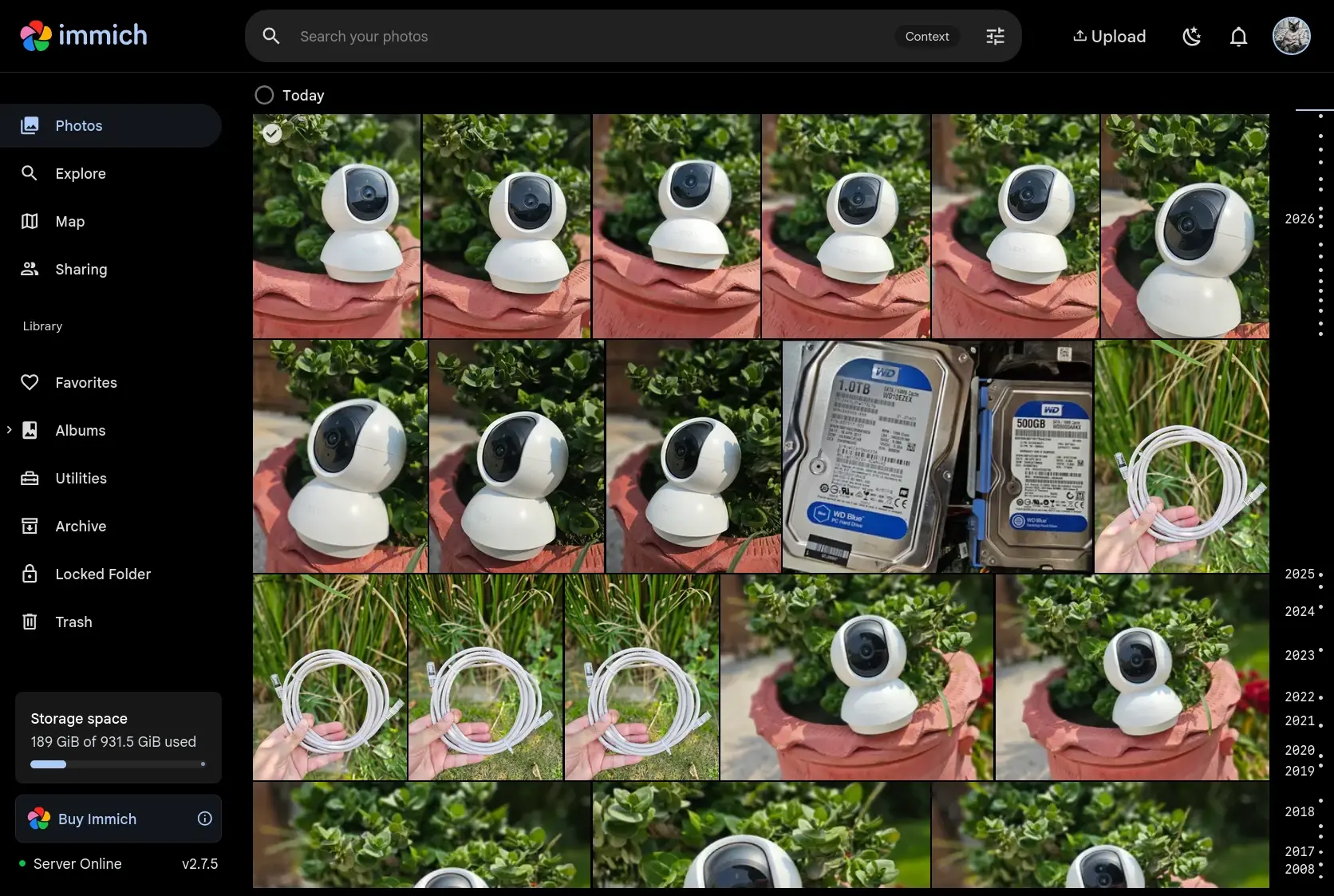
Monthly recurring costs of 850 racks up to a lot of money after a few months and only gives me 200GB
Immich stores all my images, and uses the drive I have put in the server, which is 1TB, so essentially I have 1TB of picture storage, and if need be in future, I can easily extend it by attaching more/bigger drives to the server.
The 1TB drive costs Rs. 7,500 which is equivalent to roughly 9 months of 200GB google storage. After 9 months, it's basically free storage.
I also like a few things in immich that G Photos doesn't provide
- No compression, original image is stored
- Face detection is run locally, so face data isn't being used by giant corpos for ads and what not
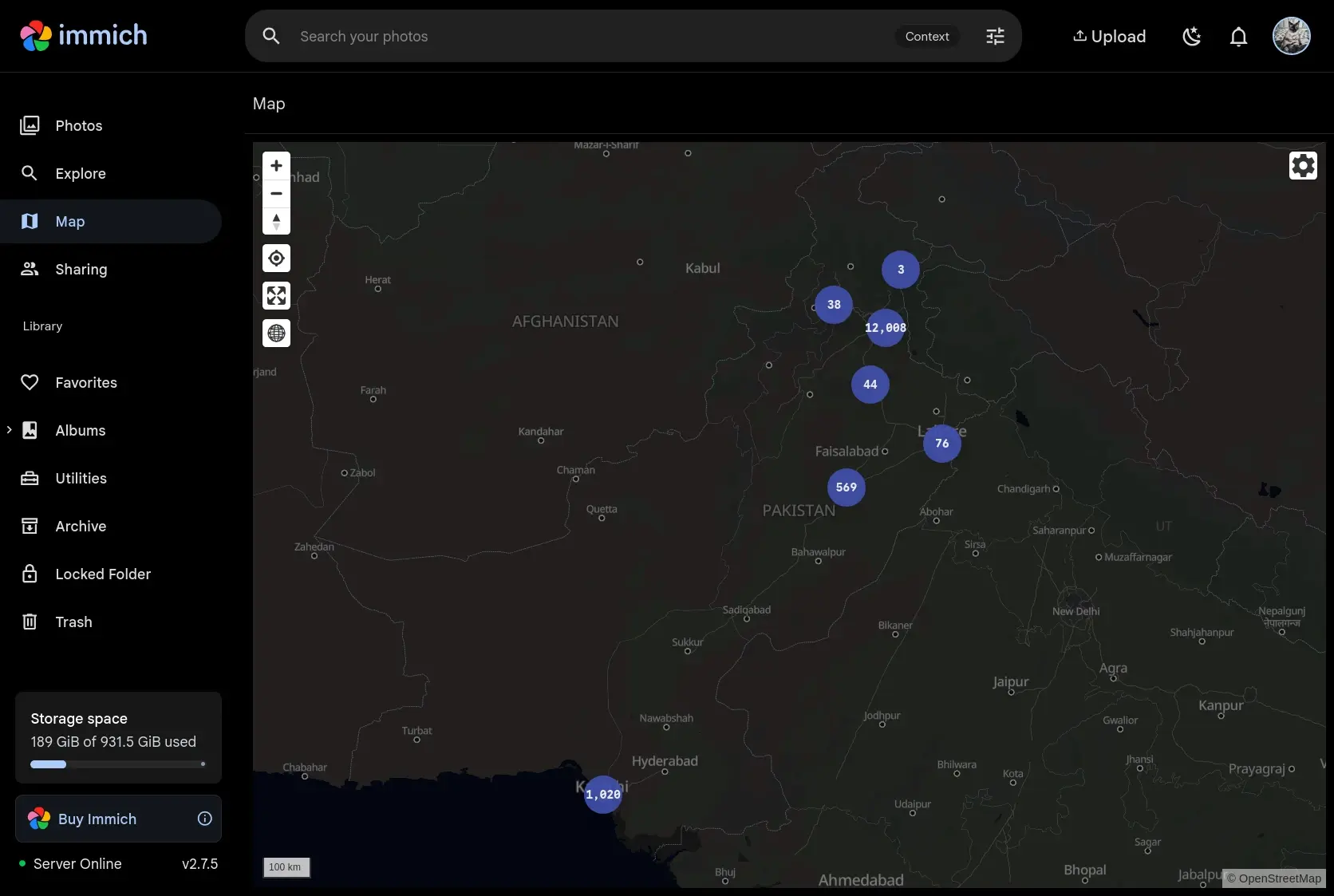
- Picture map - Shows your pictures on the map where you've taken them
Forgejo / GitHub
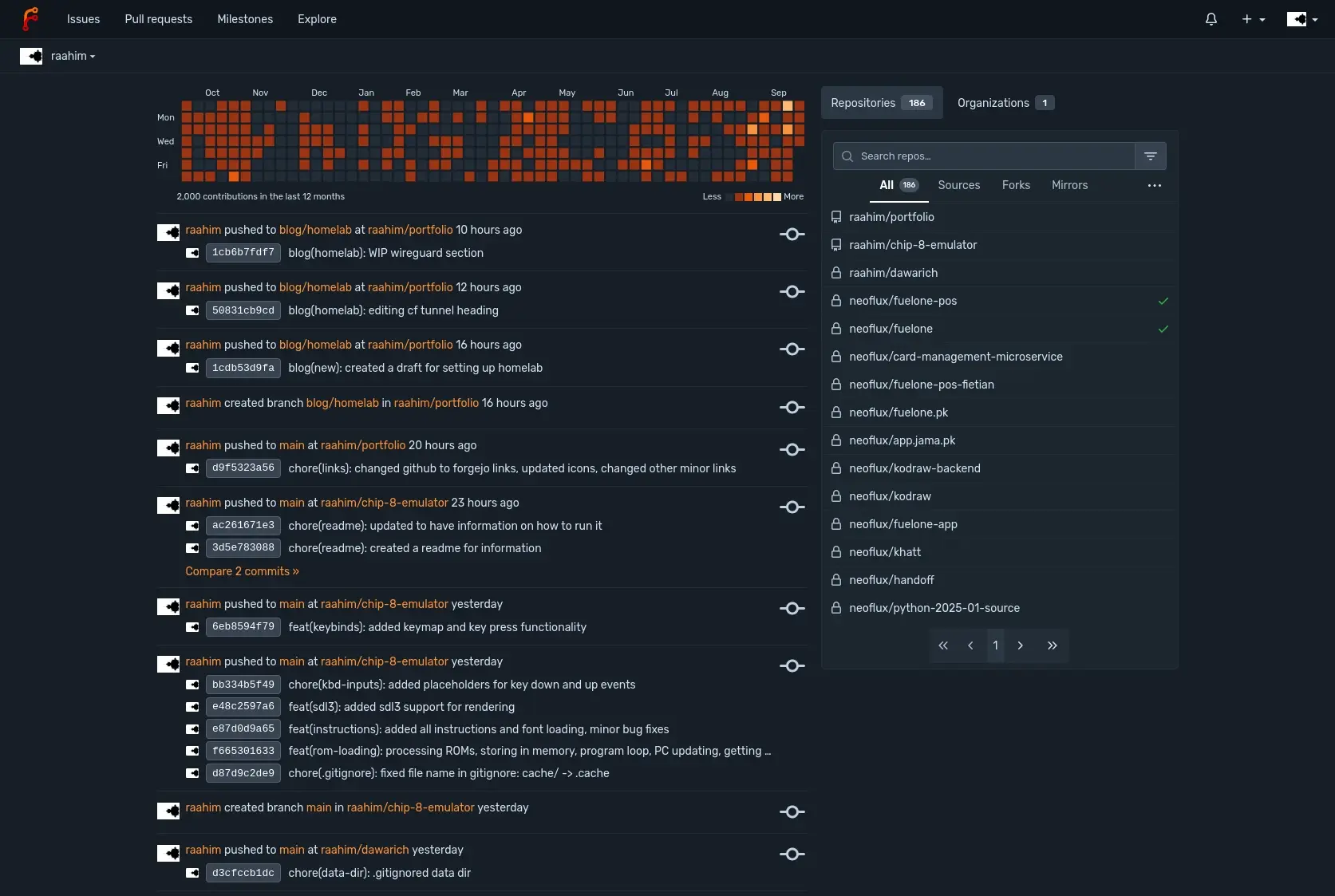
Forgejo is a git host, like GitHub and GitLab. It's used to store projects.
GitHub is really cool AND free, don't get me wrong. I just wanted to own my own code. No fear of repo getting deleted and the repo itself has no size limit on forgejo.
Navidrome / Spotify
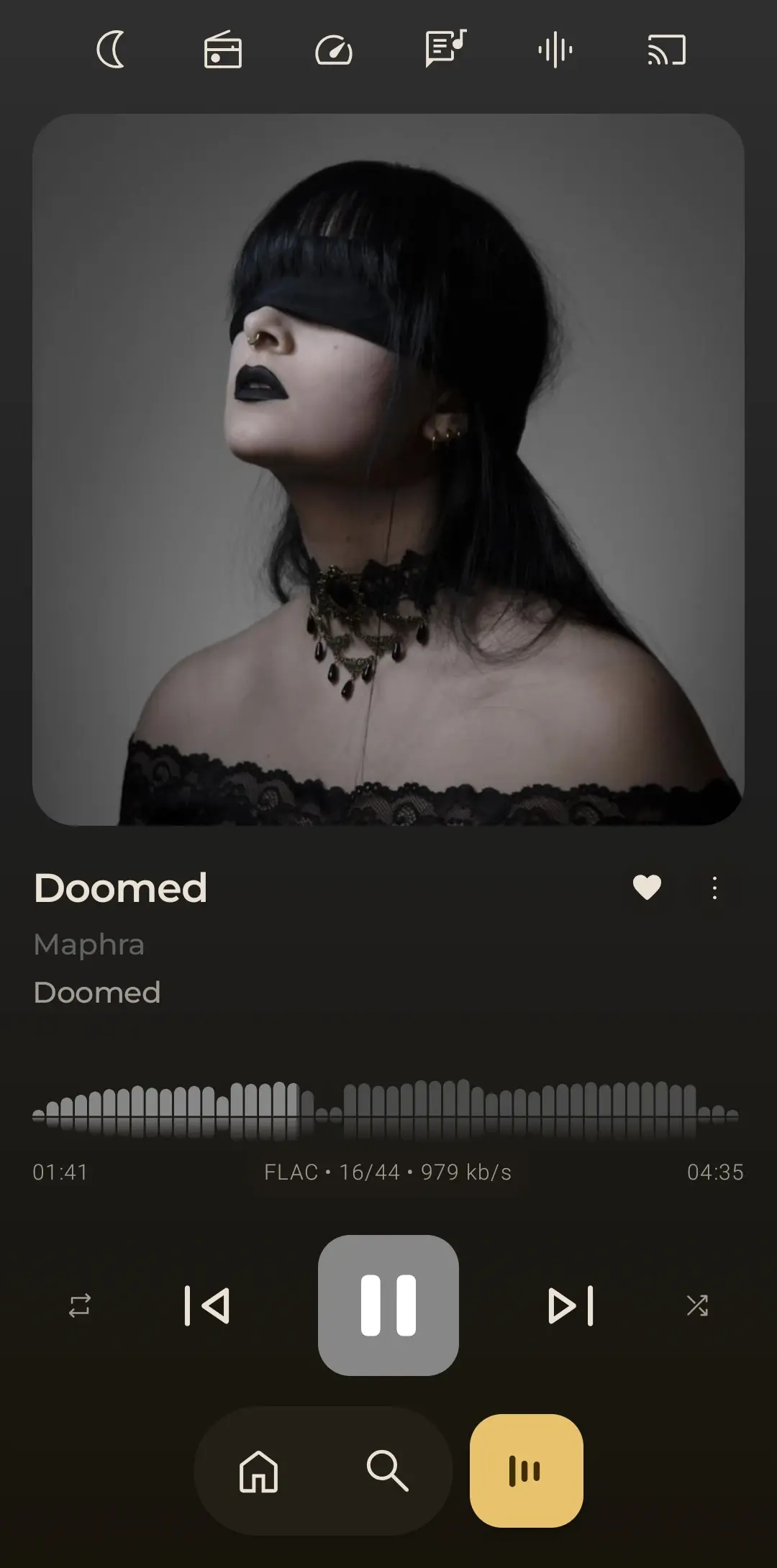
Biggest issues I had with spotify were, they gradually increased their price and often times while listening to songs, I stumbled upon disabled/locked songs which were region locked. I pay Rs. 500, let me listen to the damn music.
Navidrome is free, no ads, has subsonic API so you can use any kind of client you like (I use Feishin on desktop and Symfonium on android).
I sail the seas for my music.
JellyFin / Netflix
Exact same issues as spotify. Region locked shows and movies. Missing shows and movies. Ever so increasing prices.
Plus, with jellyfin running on my network, I can stream whatever from any device on max quality as long as that device supports a browser or has JellyFin app.
Don't use this over cloudflare though. It's against CF TOS to stream anything through the proxy and/or tunnels IIRC.
Home Assistant / Smart Home
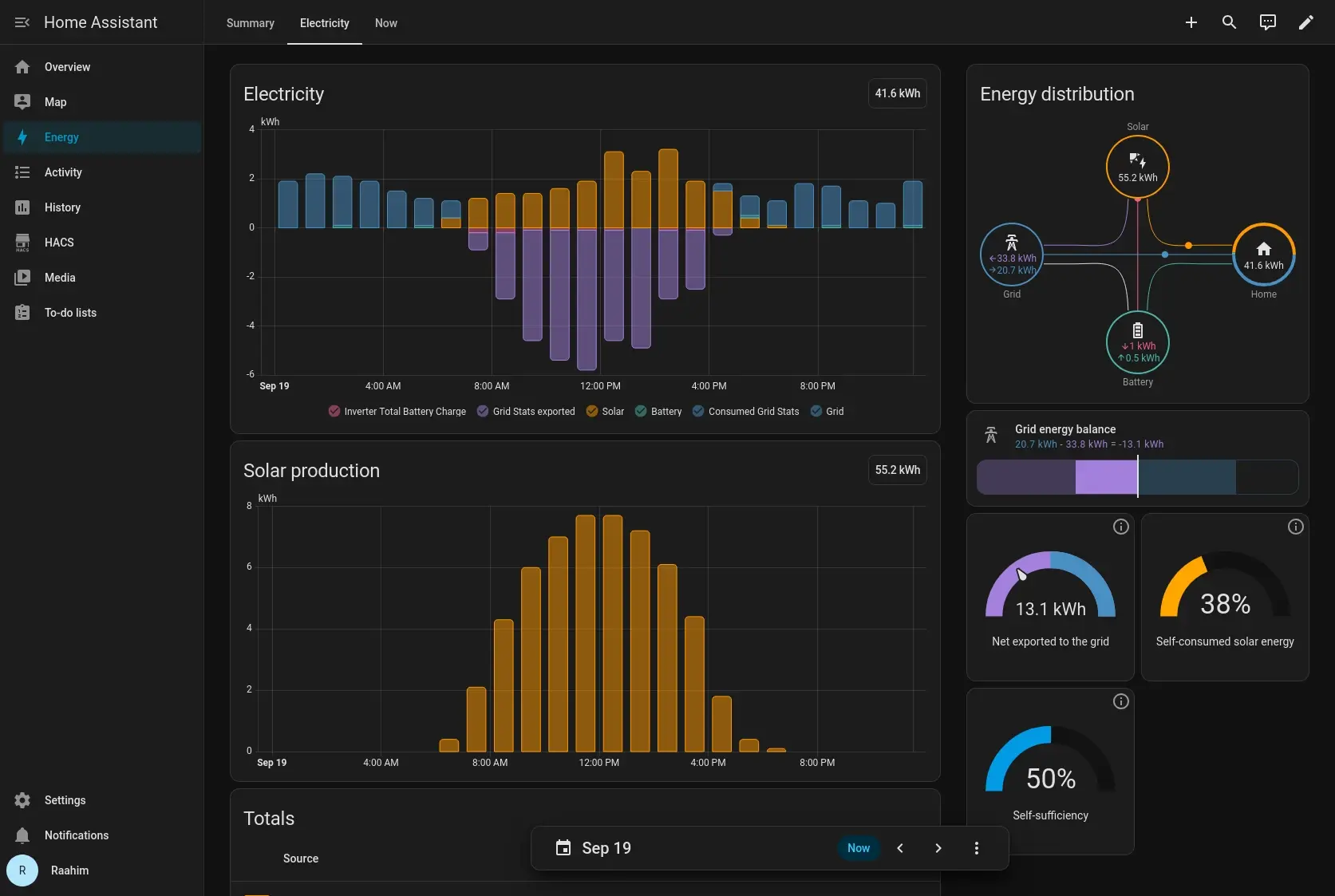
Home assistant is used to connect all IoT devices and manage them.
I've connected my Solar PV and had previously connected around 40-50 Tuya devices but Tuya is not that good. Have plans in future to make my own IoT devices using ESP32.
Also have Google Home and Amazon Alexa but haven't tried linking them to Home Assistant yet, though I'm aware that they can be linked.
Just as a side note, I didn't buy Tuya devices just for the homelab, they've been part of the house for a couple of years way before I even knew that homelabs were a thing. If I had known, I would've asked my family to get something more homelab friendly.
Trilium / Notes / Mindmap
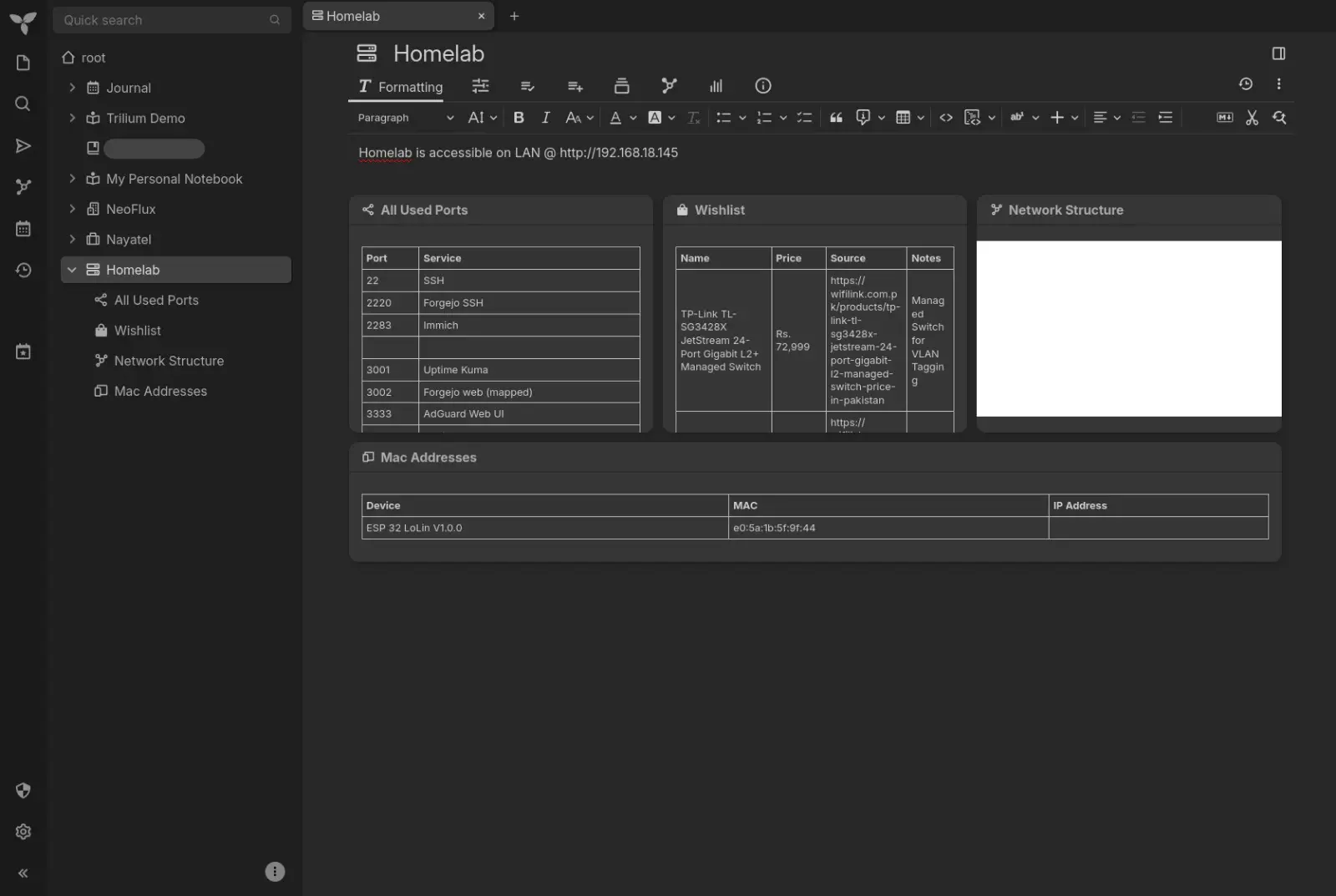
Self hosted, end to end encrypted notes. I love this, it's a mindmap, you can have relational note linking, nested notes. It has several types of notes like graphs, Excalidraw built in and supports markdown. The only problem is, there is no realistic way to share notes from inside the app unless I copy paste. No way to generate and share note link yet.
Frigate / Security Cams
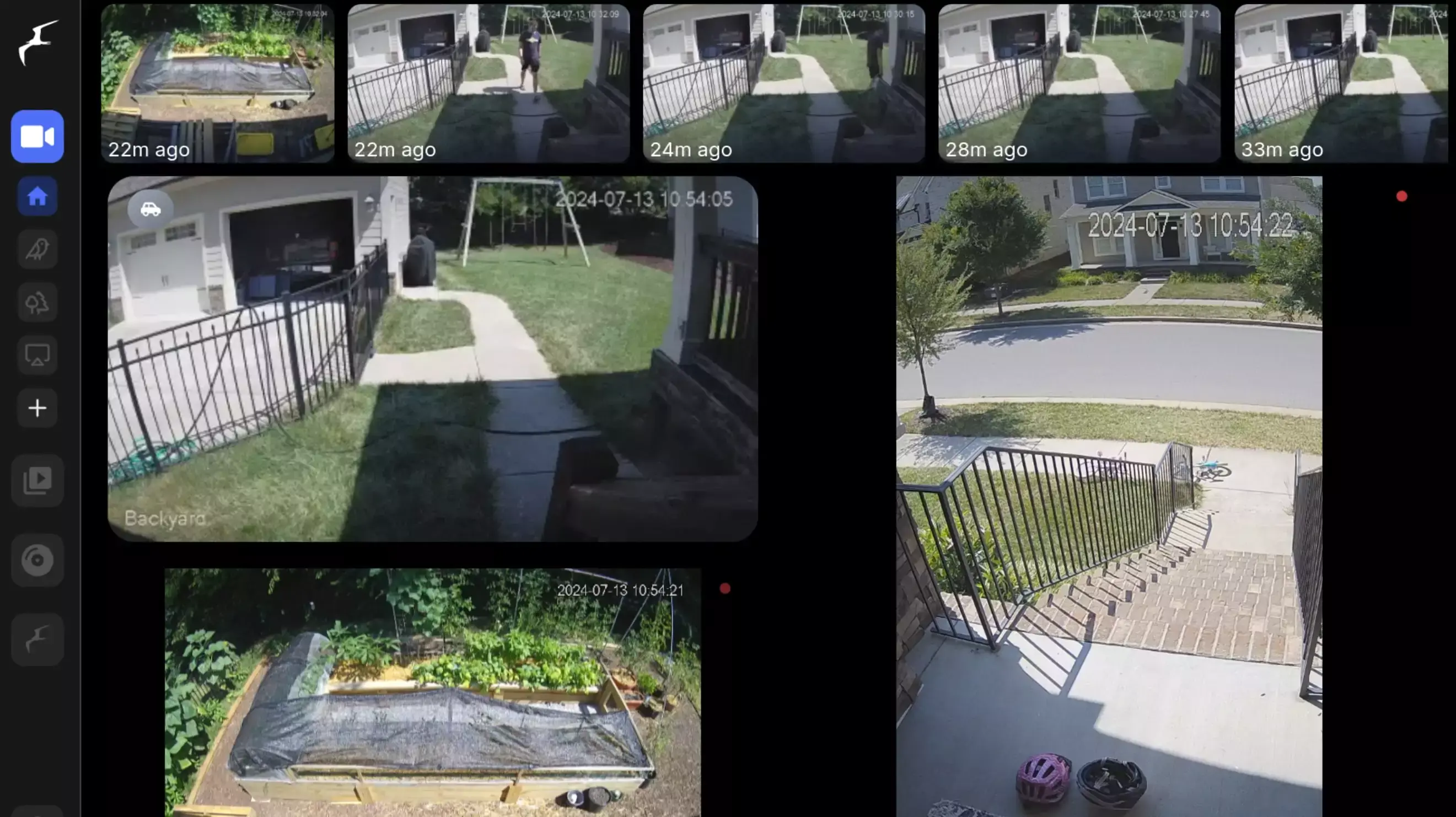
Fully local and keeps me at ease that my video feed isn't going to a cloud. The complete suite, from object detection, converting to clips and storing history is free.
Also works with ANY RTSP camera which is cool. I don't get locked into vendor.
Wireguard / VPN
Wireguard is used to connect to my server. It's not really replacing any VPN. It's sole purpose is to securely allow me to connect to my homelab from outside my home without exposing the access to public.
It's pretty cool but I've found it to be unreliable or straight up non functional on Jazz sim data. It works fine on regular ISPs like PTCL and Nayatel though. Can't say much for other telcos.
Uptime Kuma / Server Monitoring
This also doesn't replace any service, I use it to monitor my servers health and uptime. It shows me which important service may have gone down or is unreachable.
Notable Mentions
These are a few things which I either tried and stopped using, or have recently setup.
Dawarich / Google Timeline
It's a Google Timeline alternative. Sometime in the last 2 years, google killed the timeline. It is basically a tracker of your movements. It tracks your exact GPS coordinates and in turn maps your journey. I haven't used this a lot but I found it fascinating. It is setup on my machine.
Penpot / Figma
It's kind of like a figma open source replacement. I gave it a try, I don't use much figma anymore so I didn't use it either and it was hogging resources on my machine, so I put it down. It might be more useful to other people.
RomM / Game Emulation
I have a PS Vita and a Nintendo 3DS. I gave RomM a try but I can do everything I want on my actual console rather than emulating them. Gave it a try, not using it and it was using unnecessary resources on my machine so I put it down as well.
Ntfy / Notification System
I've not heavily used this but it is being used nonetheless. It's a notification system, I've connected it to Home assistant to send me a notification based on certain actions or if certain devices turn on.
To get this working on your phone, you'll need to download the Ntfy app from FDroid and not Play Store. Idk if this works on iPhone or not.
Backup Strategy
In the start, when this was just a means of testing a new hobby out, I didn't care much about the data on it. Which is fine, nothing important on it, it can easily be re-set-up if need be.
That was the past, I now use it for all my photos, and my git repositories. Data safety is critical now. This is where data backup comes in.
The gold standard for keeping data safe is the 3-2-1 framework.
- 3 copies of data
- 2 different types of media
- 1 copy offsite
In these backups/copies I usually do the following
- Small files backup: Config files, .env files (these have all the secret passwords), database dumps
- Large files backup: Actual photos library
- Git backup: Git repositories, I back these up, just not in the same backup media as other things
- Don't back up: media and song library. These can be redownloaded from the internet again, don't need them taking up extra space in a backup
- Everything else, don't backup
I've done just the 3 (some of it) and the 1.
I have setup restic which is a backup tool. I've setup 2 Backblaze B2 Buckets. For technical folks, this is an S3 compatible storage. AWS has S3, Cloudflare has R2, Backblaze has B2. S3 is the most expensive, R2 is reasonable and B2 is the cheapest, which is why I went with B2. 1TB/month is around 6.95USD which is like Rs. 2000 but the good thing is, it only charges for storage that is being used, and first 10GB is free.
So for example, I have 100GB of backup, first 10GB is free, and the remaining 90GB costs me around 200 rupees.
For starting out, since you'll only have config files, they'll be well under 10GB so backups would be completely free.
Back to the actual backup,
This becomes my off site and 2nd copy. I have setup RAID 1 on my server but at the moment only have 500GB and 1TB of drives. It'll start working once I attach another 1TB drive. The server will use one of the drives as a redundancy drive, it'll just have a duplicate of all the data. This is done so, incase one of the drive fails, the other keeps working. The only con is, even though I have 2x 1TB drives, I can only use 1TB storage instead of combined 2TB storage (basically half the storage). Once RAID 1 is in action, that'll be the 3rd copy, fulfilling the 3-2-1 rule.
For my git repos, set up mirrors on forgejo to automatically push to github. GitHub acts as a backup for my repos. I push all my changes to my own git instance, which syncs to GitHub on its own.
With all that being said, backups are an additional necessary cost if you have critical data on the server.
Operating Costs
Power numbers in this are approximates, I haven't had the chance to calculate each component separately so I'll use averages for some things.
To calculate monthly kWh, I will use the formula
As a summary, I've spent a total of Rs. 72,600 (not including my Optiplex since I technically got it for free, it was my fathers and was not being used at home) on my homelab so far. It might not match the total costs if you add everything up in this post, because I factored in cabling costs and zipties, etc as well in this total cost :)
I started with Rs. 5000, these total costs are an accumulation of me adding more things into the homelab every month.
Subscription Costs
These are the ones that I'm cutting down
| Product | Cost |
|---|---|
| Google One 200GB | Rs. 850 |
| Spotify | Rs. 500 |
| Netflix | Rs. 800 (Used to pay for it some time before I started a homelab) |
| Total | Rs. 2,150 |
Dell Optiplex 9010 SFF
This machine has a TDP of 240W but considering the specs, on average this should sit around 60W of power draw.
Thinkcentre M910q Tiny
This one has a TDP of 65W. Most tiny PCs sit around 15-20W, let's assume 18W for this.
Shuttle DS-81: Custom Router
90W of TDP but sits around 20W
TP-Link LS1005G Switch
This switch draws roughly 3W constant.
TP-Link Tapo C200 Camera
This camera draws roughly 4.5W on average.
TP-Link WR740N Access Point
This router draws roughly 4W on average.
Total Monthly Costs
In total, for 68 kWh, the cost comes around Rs. 1,527 BUT this is just for the 1-100 unit slab of electricity (IESCO).
Realistically, these kWh get added into already running kWh of the house, for example, if the house is currently in 301-400 unit slab, the server costs around ~Rs. 2500.
On top of that, I also have my B2 backup running. 100GBs.
These are just monthly costs, actual acquisition costs are another thing, which segues cleanly into my wishlist
The Wishlist
These are the things I will buy in future to add into my homelab setup.
Managed Switch (for VLANs)
I want one to be able to have VLANs. This will help me isolate networks for each type of service/electronic.
I've the following plan in mind
- VLAN10: Infra (Dell Optiplex, Thinkcentre M910q, Access points)
- VLAN20: Network Cameras (Tapo C200, etc)
- VLAN30: Home Devices (Phones, Laptops)
- VLAN40: Guests Devices (Phones)
- VLAN50: IoT devices (Tuya, ESP32, Smart TVs, Google Home, Amazon Alexa, etc)
It's good for security and keeps low security things like IoT devices away from stuff like surveillance cameras (we don't want our cameras getting hacked).
I've chosen TP-Link TL-SG3428X JetStream 24-Port Gigabit L2+ Managed Switch which costs a whopping Rs. 72,999.
Access Point
Access points connect with routers and give us WiFi signals. For most people, their router is fine. This is more of a niche thing. I chose TP-Link Pakistan EAP772 BE9300 Ceiling Mount Tri-Band Wi-Fi 7 Access Point which is a WiFi 7 compatible AP so that we can get the highest possible speeds. It costs Rs. 52,499.
Network/Server Rack
Looking for a 42U server rack. This is to actually organize my homelab, and it just looks cool to me. I have asked around the neighborhood. Got quotes of around Rs. 50,000 but haven't yet acquired one, so can't list one here until I know for sure that it is a trusted source.
Closure
With everything out of the way now,
I want to raise awareness to the technical side in Pakistan, and help in shaping a better future. This homelab setup is not that impressive, in fact I'm sure many people have done more with less, and some who have the dough may have setups that I dream of but it's still such a closed space, not a lot of people know about this stuff. I didn't know about this few years back.
I urge everyone to deviate a bit from their usual schedules or routines, dabble into different hobbies, doesn't have to be tech related but something other than what our mundane routine suggests. That's what life is about, trying new things out. What's the worst that can happen, failure? Failure isn't that bad once we learn to use it to achieve better results.
No AI Generated Content - None of the material in this specific post is AI generated.